Tampilkan postingan dengan label lightpainting. Tampilkan semua postingan
Tampilkan postingan dengan label lightpainting. Tampilkan semua postingan
Jumat, 24 Oktober 2014
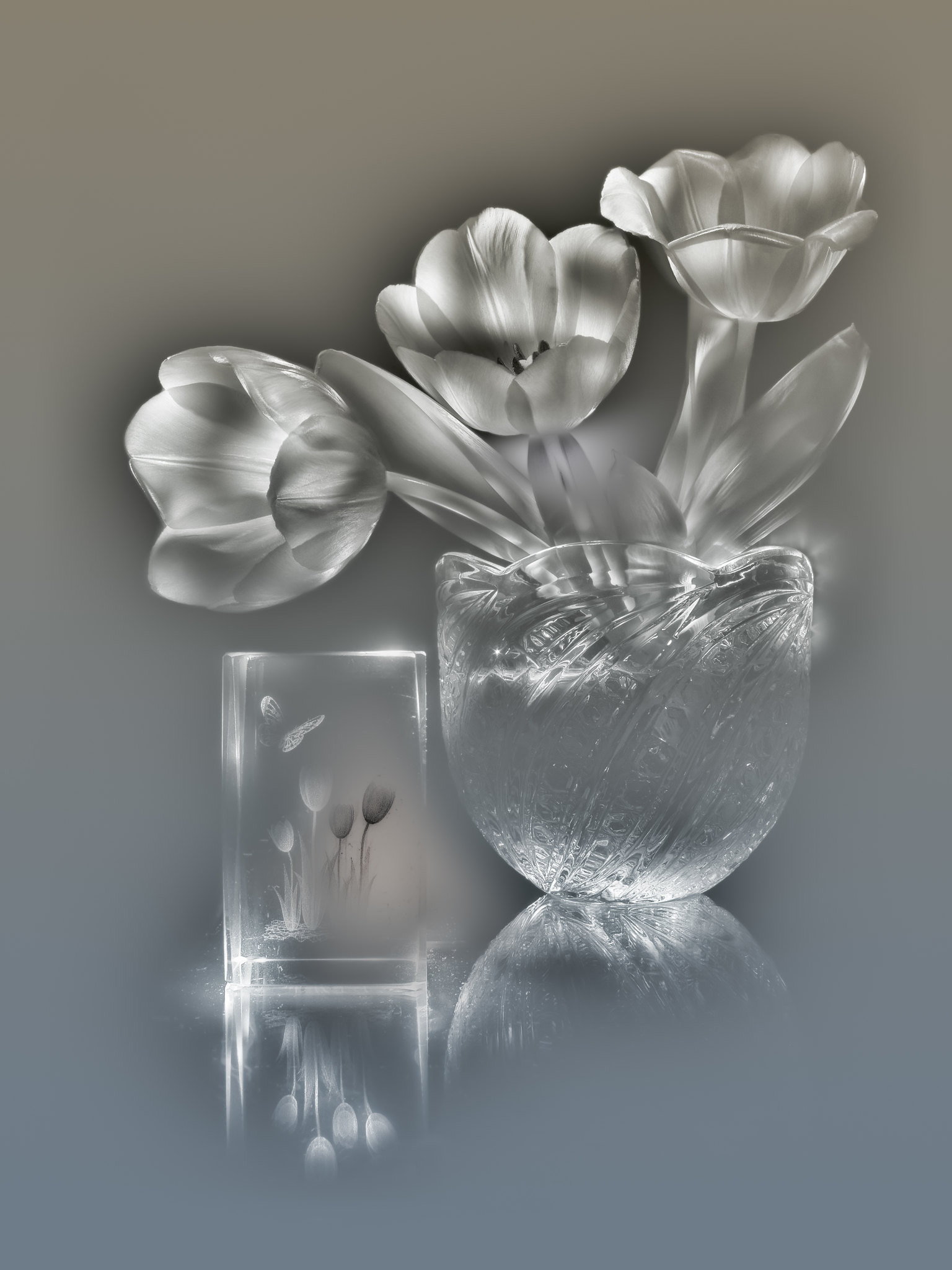
Tulips (lightpainting)

This picture i started in May 2013, but, when it was half-done, moved it to archive for long time. Recently finished it, finally. Used about 80 source shots with different lighting.
I wrote small post about lightpainting technique here: english / russian.
Strange alternate version:

Sabtu, 15 Maret 2014
Bluebells (lightpainting)
Finally, i finished this picture from last summer. It takes 68 source shots with different lighting and many hours of work. Hope you like it!
Print available at: deviantart.com, 500px.com.
Desktop wallpaper in wallpapers section:

I wrote small post about lightpainting technique: english / russian.
Separate flowers at black background, lossless .png images:

Rabu, 18 September 2013
Fractal supper
I do this lightpainting picture just for fun. First time i see cabbage-head in perfect fractal form. This structure - big cone with spiral pattern of smaller cones on it's surface - repeated at least at three levels, maybe even more, but my magnifying glass don't show this clearly.
I wrote small post about lightpainting technique here: english / russian.
Selasa, 13 Agustus 2013
Wild flowers (lightpainting)
Senin, 12 Agustus 2013
Bluebells (draft)

It's simple collage from unfinished lightpainting picture. Looks better in original resolution.
Final picture:

Простейшая световая кисть в домашних условиях
(english version of this post)
Все, что нужно из техники - любой фонарик (использую Era с тремя светодиодами), фотоаппарат и штатив (можно заменить на стопку книг или что-то подобное).
В темной комнате ставлю камеру на штатив перед натюрмортом и выставляю такие параметры: съемка серии, режим настроек вручную (M), диафрагма - поуже (для большей глубины резкости), минимальное ISO, время экспозиции подбираю одним пристрелочным кадром, выключив свет и включив фонарик, обычно это 5-10 секунд на кадр. Чтобы фонарик давал более равномерное пятно света без резких бликов, он светит через белый полиэтиленовый пакет, сложенный в 2 слоя. Для более узкого пучка света можно на фонарик придумать какую-нибудь насадку, например - трубку, свернутую из пакета от молока, серебристой стороной внутрь.
Когда все настройки выставлены, выключаю свет и запускаю съемку серии кадров (иногда снимаю до 80 и больше). Canon Powershot A650 с прошивкой CHDK пишет raw на карточку довольно долго, 5-6 секунд, что в этом случае удобно. Когда слышу щелчок затвора, у меня есть это время чтобы передвинуть фонарь. Освещаю сцену с самых разных направлений и расстояний, сначала держа фонарь неподвижно все время экспозиции, в конце съемки - с перемещением, надеясь получить какие-нибудь интересные световые эффекты.
Когда все снято, загружаю серию кадров в компьютер и рассортировываю. Отснятая серия выглядит примерно так:
Сначала разбиваю все кадры на две условные группы: более темные и более светлые, работать в фотошопе начну с темных. Внутри каждой группы сортирую их по типу освещения: спереди, сзади, сбоку, сверху и "все остальное". Такая сортировка помогает сразу исключить практически одинаковые кадры. Затем выбираю один кадр, который будет основой. Обычно это темный кадр с красивым светом в центре и максимально темными краями со всех сторон.
Загружаю все снимки в фотошоп как слои, один над другим, по группам: внизу основа, над ней темные группы кадров и над ними светлые. Затем начинается самый долгий, но интересный этап. Оставляю основу видимой, а всем остальным слоям назначаю черные маски, так что все они становятся невидимыми. Дальше, начиная с самого нижнего слоя над основой, и постепенно продвигаясь вверх по слоям, делаю слой видимым (щелчком с зажатым shift по маске) и снова невидимым несколько раз, и смотрю, есть ли в этом кадре какие-то области, освещение которых мне нравится больше, чем на картинке снизу. На примере грибов, на одном из кадров мне нравится синий отсвет на шляпе белого гриба, на другом кадре - свет на его губке, или тени от грибов на переднем плане, или свет на кленовых листьях заднего плана, и т.п. Понравившиеся области я добавляю в общую микстуру, прорисовывая их по черной маске слоя белой кисточкой подходящего размера с мягкими краями. Это выглядит очень интересно, прямо-таки магическое рисование светом по картинке с возникновением самых удивительных световых эффектов. При необходимости меняю форму освещенной области, стирая на маске какие-то части черной кистью и вновь добавляя белой, иногда уменьшая размер кисти. Иногда меняю режим наложения слоя с normal на ligten, если требуется добавить только света без теней. Так прохожу все слои, иногда возвращаясь назад и корректируя что-то на масках белой или черной кистью.
После этого картинка почти готова, сливаю все слои в один и делаю обычную постобработку: усиление резкости, шумоподавление, слой HiRaLoAm для повышения локального контраста (копия картинки в ч/б, обработанная фильтром highpass с радиусом 100, наложенная в режиме soft light с небольшой opacity), цветокоррекция, если нужно, и кривая глобального контраста. Иногда делаю вариант псевдо-HDR в фотоматиксе и добавляю его на готовый кадр маской в тех областях, где он выглядит лучше оригинала (например, более рельефные текстуры благодаря усилению микроконтраста).

Все, что нужно из техники - любой фонарик (использую Era с тремя светодиодами), фотоаппарат и штатив (можно заменить на стопку книг или что-то подобное).
В темной комнате ставлю камеру на штатив перед натюрмортом и выставляю такие параметры: съемка серии, режим настроек вручную (M), диафрагма - поуже (для большей глубины резкости), минимальное ISO, время экспозиции подбираю одним пристрелочным кадром, выключив свет и включив фонарик, обычно это 5-10 секунд на кадр. Чтобы фонарик давал более равномерное пятно света без резких бликов, он светит через белый полиэтиленовый пакет, сложенный в 2 слоя. Для более узкого пучка света можно на фонарик придумать какую-нибудь насадку, например - трубку, свернутую из пакета от молока, серебристой стороной внутрь.
Когда все настройки выставлены, выключаю свет и запускаю съемку серии кадров (иногда снимаю до 80 и больше). Canon Powershot A650 с прошивкой CHDK пишет raw на карточку довольно долго, 5-6 секунд, что в этом случае удобно. Когда слышу щелчок затвора, у меня есть это время чтобы передвинуть фонарь. Освещаю сцену с самых разных направлений и расстояний, сначала держа фонарь неподвижно все время экспозиции, в конце съемки - с перемещением, надеясь получить какие-нибудь интересные световые эффекты.
Когда все снято, загружаю серию кадров в компьютер и рассортировываю. Отснятая серия выглядит примерно так:

Сначала разбиваю все кадры на две условные группы: более темные и более светлые, работать в фотошопе начну с темных. Внутри каждой группы сортирую их по типу освещения: спереди, сзади, сбоку, сверху и "все остальное". Такая сортировка помогает сразу исключить практически одинаковые кадры. Затем выбираю один кадр, который будет основой. Обычно это темный кадр с красивым светом в центре и максимально темными краями со всех сторон.
Загружаю все снимки в фотошоп как слои, один над другим, по группам: внизу основа, над ней темные группы кадров и над ними светлые. Затем начинается самый долгий, но интересный этап. Оставляю основу видимой, а всем остальным слоям назначаю черные маски, так что все они становятся невидимыми. Дальше, начиная с самого нижнего слоя над основой, и постепенно продвигаясь вверх по слоям, делаю слой видимым (щелчком с зажатым shift по маске) и снова невидимым несколько раз, и смотрю, есть ли в этом кадре какие-то области, освещение которых мне нравится больше, чем на картинке снизу. На примере грибов, на одном из кадров мне нравится синий отсвет на шляпе белого гриба, на другом кадре - свет на его губке, или тени от грибов на переднем плане, или свет на кленовых листьях заднего плана, и т.п. Понравившиеся области я добавляю в общую микстуру, прорисовывая их по черной маске слоя белой кисточкой подходящего размера с мягкими краями. Это выглядит очень интересно, прямо-таки магическое рисование светом по картинке с возникновением самых удивительных световых эффектов. При необходимости меняю форму освещенной области, стирая на маске какие-то части черной кистью и вновь добавляя белой, иногда уменьшая размер кисти. Иногда меняю режим наложения слоя с normal на ligten, если требуется добавить только света без теней. Так прохожу все слои, иногда возвращаясь назад и корректируя что-то на масках белой или черной кистью.
После этого картинка почти готова, сливаю все слои в один и делаю обычную постобработку: усиление резкости, шумоподавление, слой HiRaLoAm для повышения локального контраста (копия картинки в ч/б, обработанная фильтром highpass с радиусом 100, наложенная в режиме soft light с небольшой opacity), цветокоррекция, если нужно, и кривая глобального контраста. Иногда делаю вариант псевдо-HDR в фотоматиксе и добавляю его на готовый кадр маской в тех областях, где он выглядит лучше оригинала (например, более рельефные текстуры благодаря усилению микроконтраста).


3384 * 2538
3856 * 2892
1636 * 1636
4000 * 3000
2706 * 3608
(2528 * 3371
2304 * 4000
2190 * 3899
Автор: Алексей Клятов
Still life lightpainting
(russian version of this post)
It's simple technique, but very time consuming. At first, i place black (or dark) background behing the scene, put a camera on tripod and set to manual mode with settings: iso at minimum (80), aperture to max number (8 in my case) for wider DOF and set exposure time to 5-10 seconds (i turn off light, make a test shot with flashlight and adjust exposure time, if it too low or too high). When i done with camera settings, i start continuous serie of shots, turn off the light and start to lit the scene with LED flashlight from different angles and distances, changing the lighting when i hear shutter sound from camera (Canon Powershot A650 with CHDK firmware writes RAW shot in 5-6 seconds, so i have enough time to move flashlight where i want). At first, i don't move flashlight during exposure time, taking static lighted scene, and when i got enough shots, i move flashlight while shooting, trying to get some nice light effects. When i got enough shots, i stop the camera, upload shots in computer and look at serie of shots, which looks like that:
Then, i sort all of them. Firstly, i divide all shots to 2 groups: dark and bright. Inside each group i sort shots by type of lighting: front, side, back, top. This sorting helps at processing stage, and i can easily exclude some shots from processing (these what looks similar). After sorting, i select one of dark shots as "base". Usually it is shot with good lighting at centre of scene and with dark corners and background. I load all shots in Photoshop as layers, and move base layer at bottom of stack. I set black masks to all layers, except base, so they become invisible. And now i start most time consuming processing stage. Starting from bottom hidden layer, i make it visible (by disabling mask - clicking with Shift key at mask icon) and invisible again several times, compare it with picture below. If i see some parts, which looks better than underlying picture (good lighting or interesting light effect), i add this part to final mix by painting mask using white brush with soft edges. For example, at one shot i like blue reflection at hat of big mushroom, but nothing more, so i add only area with this reflection. On another shot, i like good shadows of foreground mushrooms at wooden table, or lighting of maple leafs at background, or something else. So i go through all layers to top one, adding good features from some of them. After that, picture looks nice, and i do standard postprocessing steps: sharpening, noise removing, HiRaLoAm layer for better local contrast with highpass filter and finally, color correction and global contrast with curves.
It's simple technique, but very time consuming. At first, i place black (or dark) background behing the scene, put a camera on tripod and set to manual mode with settings: iso at minimum (80), aperture to max number (8 in my case) for wider DOF and set exposure time to 5-10 seconds (i turn off light, make a test shot with flashlight and adjust exposure time, if it too low or too high). When i done with camera settings, i start continuous serie of shots, turn off the light and start to lit the scene with LED flashlight from different angles and distances, changing the lighting when i hear shutter sound from camera (Canon Powershot A650 with CHDK firmware writes RAW shot in 5-6 seconds, so i have enough time to move flashlight where i want). At first, i don't move flashlight during exposure time, taking static lighted scene, and when i got enough shots, i move flashlight while shooting, trying to get some nice light effects. When i got enough shots, i stop the camera, upload shots in computer and look at serie of shots, which looks like that:
Then, i sort all of them. Firstly, i divide all shots to 2 groups: dark and bright. Inside each group i sort shots by type of lighting: front, side, back, top. This sorting helps at processing stage, and i can easily exclude some shots from processing (these what looks similar). After sorting, i select one of dark shots as "base". Usually it is shot with good lighting at centre of scene and with dark corners and background. I load all shots in Photoshop as layers, and move base layer at bottom of stack. I set black masks to all layers, except base, so they become invisible. And now i start most time consuming processing stage. Starting from bottom hidden layer, i make it visible (by disabling mask - clicking with Shift key at mask icon) and invisible again several times, compare it with picture below. If i see some parts, which looks better than underlying picture (good lighting or interesting light effect), i add this part to final mix by painting mask using white brush with soft edges. For example, at one shot i like blue reflection at hat of big mushroom, but nothing more, so i add only area with this reflection. On another shot, i like good shadows of foreground mushrooms at wooden table, or lighting of maple leafs at background, or something else. So i go through all layers to top one, adding good features from some of them. After that, picture looks nice, and i do standard postprocessing steps: sharpening, noise removing, HiRaLoAm layer for better local contrast with highpass filter and finally, color correction and global contrast with curves.
3384 * 2538
3856 * 2892
1636 * 1636
4000 * 3000
2706 * 3608
(2528 * 3371
2304 * 4000
2190 * 3899
Author: Alexey Kljatov
Langganan:
Postingan (Atom)